The Free Way to Protect Your Bank Account on Public Wi-Fi
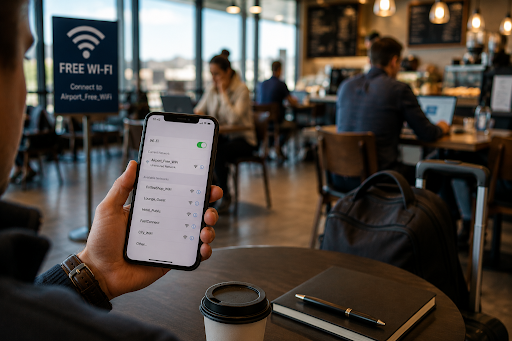
You’re at the airport gate with twenty minutes to kill. You pull up your banking app to check if a payment cleared, because the airport Wi-Fi connected the second your phone woke up. Most people have done this. Most people also have no idea if that network is safe to use for anything involving money.
It’s a fair question, and the honest answer is: it depends on protections most people never think to check.
Why This Actually Costs People Money
Financial fraud isn’t rare anymore. It’s a routine cost of being online. In 2025, identity theft and fraud losses in the U.S. hit an all-time high of $15.8 billion. About 40% of Americans see public Wi-Fi as a major risk to their data, and for good reason: roughly half of identity theft cases trace back to online shopping or account access, the exact things people do while killing time on public networks.
Public Wi-Fi is easy for scammers to exploit for a simple reason. It’s built to be open, not secure. Data traveling between your phone and the internet on an unprotected network can be intercepted by anyone else on that same network with the right tools. Your bank has its own encryption in place, which helps. But the network itself is still worth protecting, especially for passwords, account numbers, or one-time codes sent by text.
Habits That Cost Nothing
None of this needs expensive software or a finance degree. A few habits go a long way:
- Turn off auto-join for Wi-Fi. If your phone connects to open networks without asking, it’s making that call for you every time, including at your bank’s expense.
- Look for HTTPS before typing anything sensitive. The padlock icon isn’t a guarantee, but its absence is a clear warning.
- Turn on multi-factor authentication for banking and email. A stolen password does far less damage if there’s a second step attached to it.
- Don’t reuse passwords across financial accounts. One breached account shouldn’t unlock every other account you own.
- Encrypt your connection on networks you don’t control. This is the step most people skip, usually because they think it costs money.
You Don’t Have to Pay for This Part
That last habit protects everything else you do on a public network, not just banking. A free VPN service encrypts the traffic between your device and the internet. Even if someone else is on the same airport or coffee shop network, what they’d see is scrambled data instead of your actual activity.
X-VPN’s free plan is worth knowing about here. It doesn’t ask for a credit card, an email address, or any sign-up at all. You install it and turn it on. That matters if you’re already cautious about handing over more personal information just to protect the personal information you already have. Most people check their bank balance from a phone rather than a laptop, so installing the app on your Android device before your next trip is a five-minute job that covers you on every public network after that.
The Bigger Picture
It’s easy to assume identity theft happens to other people because of some obvious mistake. The reality is messier. Most victims did nothing unusual. They just used a public network the same way millions of people do every day, with nothing standing between their device and whoever else was sharing that connection.
None of the fixes here are complicated or expensive. Multi-factor authentication, watching for HTTPS, and encrypting your connection before you check a bank balance at the airport cover the parts that actually matter, without spending a dollar to do it.